Inventory problems rarely announce themselves. A customer asks for your best-selling mixer grinder and it is out of stock. A box of slow-moving stock sits in the back for a year. Neither shows up as a loss on any single day, which is exactly why they keep happening.
Spreadsheets help for a while. Then someone forgets to update them after a busy weekend and the numbers stop meaning anything. Good stock control has to happen automatically, as a side effect of billing.
Principle 1: every bill moves stock
The single most important rule is that stock should never be updated separately from sales and purchases. When a sale is billed, stock goes down. When a purchase is recorded, stock goes up. Returns reverse the movement. If your software does this, your stock count is only ever as wrong as your last physical mistake, not your last busy week.
Principle 2: set a reorder level for every product that matters
A reorder level is the quantity at which you want to be reminded to buy more. A simple way to set it:
- Estimate how many units you sell in a typical week.
- Estimate how long your supplier takes to deliver.
- Set the reorder level to cover that delivery time, plus a small buffer.
A product that sells 10 units a week with a one-week supplier lead time might get a reorder level of 15. Fast movers deserve careful levels; slow movers can have low ones.
Principle 3: alerts, not audits
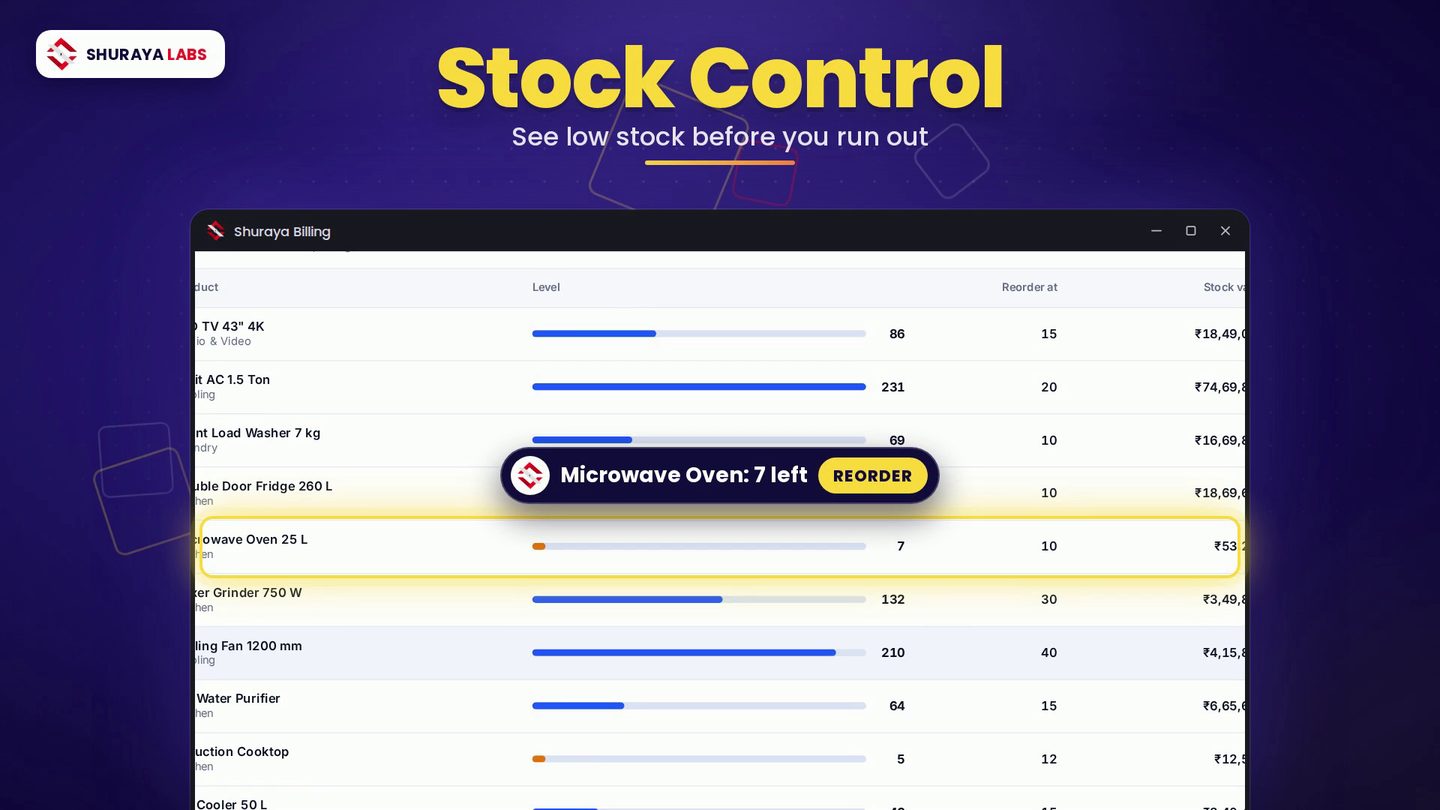
Once reorder levels exist, the software should tell you when stock crosses them. Low-stock alerts turn inventory from something you check into something that checks itself. Shuraya Billing flags products that have fallen below their reorder level and shows a suggested reorder value, so you can plan the purchase in one pass instead of walking the shelves.
Principle 4: sell in the unit your customer asks for
Many businesses buy in one unit and sell in another. Sugar arrives in 50 kg bags and leaves in 500 g packets. Oil comes in by the litre and goes out by the millilitre. Without unit conversion, stock either has to be tracked in awkward decimals or not tracked at all. Shuraya Billing converts between kilograms and grams and between litres and millilitres, so the stock figure stays right whichever way you sell.
Principle 5: label what you stock
Barcodes make billing faster and errors rarer, but plenty of products arrive without one, especially loose, local or repackaged goods. A barcode label generator lets you print your own labels for those items and scan them at the counter like everything else.
A weekly stock routine
- Monday: review the low-stock list and place orders.
- Midweek: check the stock report for items that have not moved in a long time.
- Monthly: do a physical count of your top products and correct any differences, noting why they happened.
How Shuraya Billing puts it together
In Shuraya Billing, stock is updated by every sale, purchase and return. The stock control screen shows each product's current level against its reorder point, with low-stock items highlighted and alerts when something needs attention. Unit conversion, barcode labels and a full stock report are built in, and all of it works offline.
If your inventory still lives in a spreadsheet, you can import it from Excel or CSV and start from the numbers you already have.